Powerschool Student Portal Home
Jericho PowerSchool Student Portal Quick Start Guide
PowerSchool is Jericho's student information system, used to record and track student records, including grades and attendance.
PowerSchool also allows us to share attendance and grade information with our students and their parents/guardians via our PowerSchool Portal.
Follow along with this guide to log into student account on our PowerSchool Portal, allowing you to view all of your current grades and attendance information.
To begin, visit our PowerSchool Student Portal login page, or click the PowerSchool Student Portal link on the Students page.
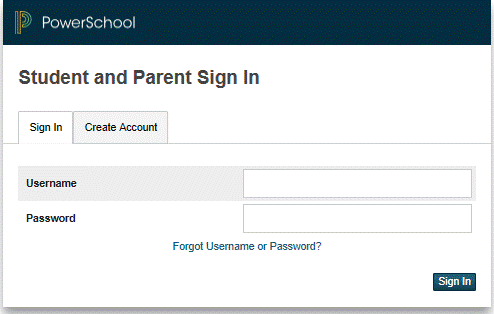
You will see the following screen, at left:
Click the Sign in button
- Use the information emailed to you to login
What if you forget your login information?
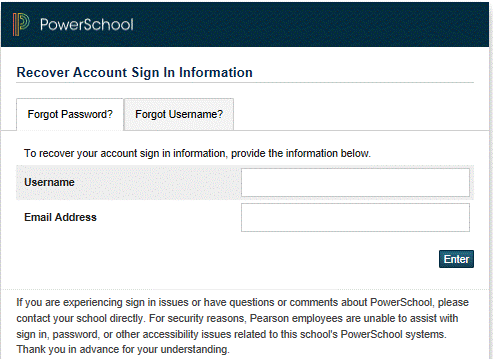
On the login page click on the link Having Trouble Logging in?
If you forgot your Password:
- Fill in your username.
- Fill in your email address.
- Hit Enter
The system will authenticate your information and send you a Security Token to the e-mail address listed with instructions on how to reset your password.
It is important to note that the Security Token sent is only good for 30 minutes. If the Parent/Guardian fails to reset the Password in that allotted time, you will need to repeat the process.
If you forgot your username:
- Click on the Forgot User Name tab
- Enter your email address
- Hit Enter
The system will authenticate your information and send you an e-mail listing your username.
